
How It Works
Simple. Deep. Human.
Human→Technology→Human
The team enters the data — competitor rates, MinLOS, sold-outs, a group, a wedding, the feel of the night. Data that no algorithm catches on its own. WisDom RM carries all the heavy mathematical analysis, and the final call never leaves the manager — they put the seal on it. Three levels, one tool.
Everyone records → one validates
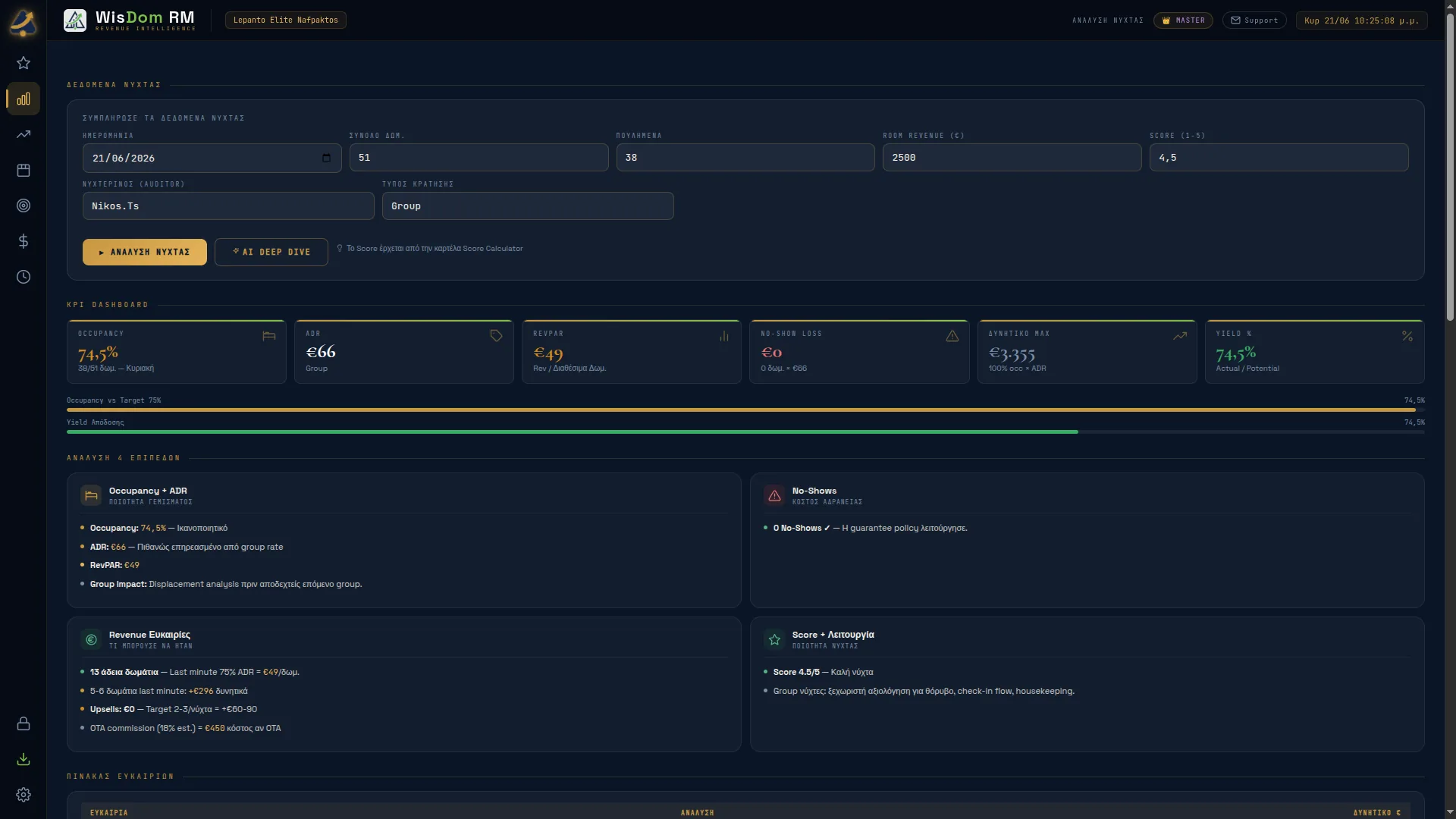
The whole front desk feeds in data: competitor rates, an event in the area, a complaint. The night auditor checks it before it counts. It isn’t bureaucracy — it’s quality control.
Upload the PMS’s Daily OTB Report and the numbers fill in on their own. What’s left is what isn’t in any file: no-shows, upsells, complaints, and the events of the shift — a breakdown, a missed handover — with their severity. Even a quiet night is declared explicitly. And when something was serious, WisDom RM won’t move on without an explanation: an average makes it disappear; a note keeps it.
In the morning, the Morning Report opens with the theme of the night — the one thing worth saying. And when there’s nothing to say, it says so in two lines. Below, the numbers: occupancy, ADR and RevPAR against the same weekday last year; the night’s profitability in GOP, GOPPAR, CPOR and break-even, with every assumption written down. And the next three nights — whatever can still move today.
Every night that closes feeds the week.
Many signals → one WisDom Suggestion
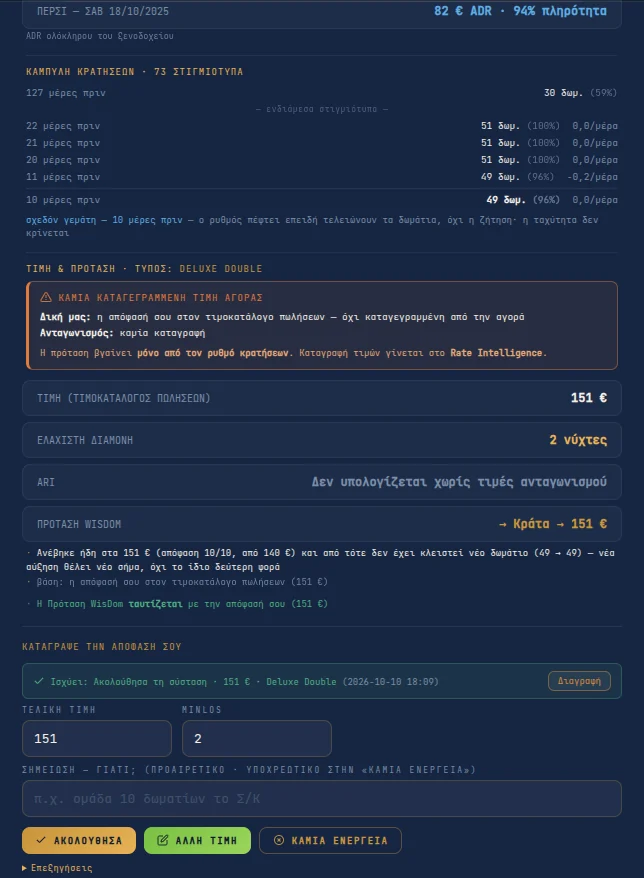
One suggestion for every night: a rate per room type and a minimum stay. The same on the Demand Calendar, in each day’s details and in the Weekly Report. It starts from the rate that already applies — without it, no suggestion.
The yardstick is your own hotel. Every night is placed among your own similar nights: same season, same distance from arrival, and the same group of days, as far as the history reaches. “Very strong” means fuller than three in four. It also measures how fast it’s filling. Your position against the competition sets the size of the move.
Then the brakes — and they always state their reason. No decrease when demand is coming: an event, MinLOS, competitors closed, a night already ahead of last year. No increase when bookings have stopped — and never twice for the same signal. And with fewer than twelve comparable nights, WisDom RM never suggests a decrease.
Where the night will close — as a range, not a single number, with the method’s accuracy measured on your own closed nights. From two weeks before arrival, it judges against the season’s occupancy target. Without enough history: “none — little history”.
The rate remains a suggestion. It becomes a decision only when the manager approves it.
Followed · Different rate · No action → Your signature
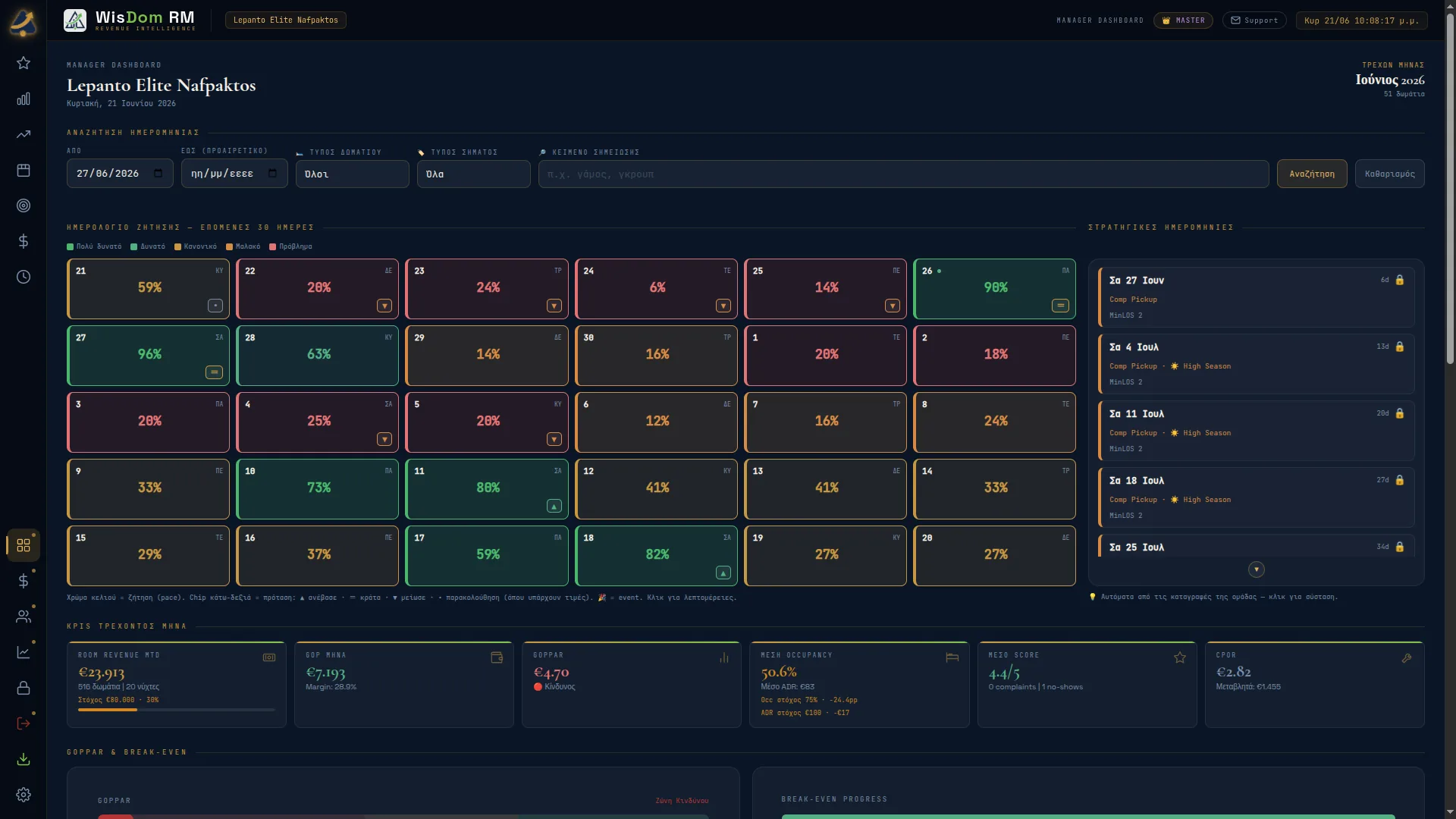
365 days ahead, in front of you. Demand Calendar, Strategic Dates, search by date, signal or note, filter by room type.
Every signal in one cell, answering three questions: where you are (occupancy), how much is booked (rooms on the books) and the current → suggested rate. Below it, the direction — ▲ raise · = hold · ▼ lower — and one click on it records “Followed”.
The month’s target, translated into room nights and euros per night. You enter operating costs once a month — and out comes a full USALI P&L: GOP, GOPPAR, CPOR and the break-even point in rooms. Rent and loan payments, if you declare them, go below GOP: you see what’s left in the till.
Two monthly reports, two different questions. “The month that closed” asks what happened and what I learn; “The month so far” asks where we’re going and what’s left. They present everything WisDom RM collected — all of it, unfiltered.
Every decision is recorded — Followed · Different rate · No action — and its context is frozen with it. Even “No action” needs a written reason. When the outcome comes in, the review knows what you knew at the moment you signed.
And the signature reaches the channels. It goes into the Rate Sheet — the same one the front desk sees — and WisDom RM remembers what has already gone to the channel manager: it shows only what changed — day, room type, new rate, what was sent before. And when the night auditor records a different rate from the one you signed, it asks: “did it reach the channels?”
Core Engine → where strategy will happen
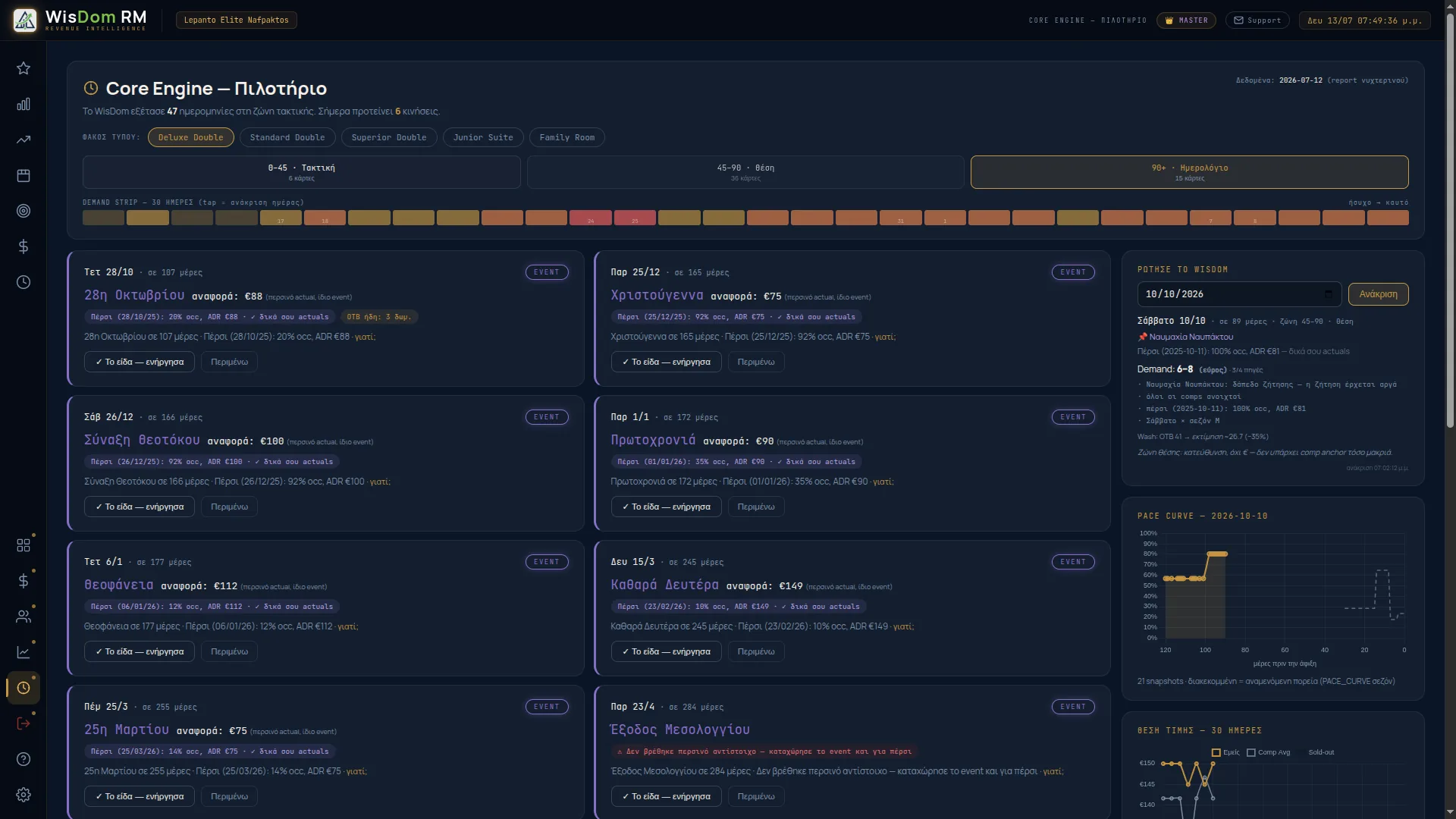
This is where strategy will happen. WisDom RM will examine every date on the horizon, weigh pace, competition, history and cancellations, and serve you only what needs a move. The rest? Silence — when it speaks, it will be heard.
Every suggestion will tell the truth about its distance. At 0–45 days it will speak in euros: a rate per room type, MinLOS with a window, cancellation alerts. At 45–90 only a direction — ahead of or behind last year. At 90+ facts, never a rate: out there, what matters isn’t how much, but setting up the structure early.
Every suggestion will be questioned down to the root — the whole reasoning, step by step, down to the raw numbers. When the owner asks “why €157 on 25/7?”, the answer will be one click away.
The algorithm is blind to local context: it doesn’t know the town is preparing a festival. You do. “Human Instinct” will be the structured channel for that knowledge to come in — and to be measured later by the same yardstick: every entry will freeze a record of what you knew when you made it.
Each decision of yours will teach the engine your style — only when the nights prove you right. Corrections that are confirmed will bring it closer to you; corrections that are disproved will keep it on the data. So it will never become a mirror of mistakes — neither yours nor its own.
And if you want, AI Deep Dive
In each of the three reports — daily, weekly, monthly — one button. Claude reads exactly the same report you read and interprets it like an experienced revenue manager — not a repeat of the numbers, but depth.
And when the interpretation convinces you, “Record proposal”: it goes to the date’s card together with its reasoning — and is recorded as a proposal, not a decision. You sign the decision, and six months on you know not only what you set, but why.
You don’t wait a year to see where you stand.
Upload your PMS history, and the comparison with last year and the month’s target are there from day one. The booking curve builds from then on, with every daily report.
Before you try it: what WisDom RM doesn’t do · see it in use · pricing